

FAQs
As an employee of Southeastern, how does my department buy a computer for me to use?
The University currently has a Computer Replacement Plan in place for faculty and staff computers. Through this plan, faculty and staff receive a new computer as funds become available and upon approval by the Department Head/Dean/Vice President.
If other technology is needed within a department in addition to a faculty or staff's primary computer, Computer Equipment Resales can provide assistance with pricing for such technology equipment.
Computer Equipment Resales can be contacted by sending an e-mail to resales@southeastern.edu
Where can students use computers on campus?
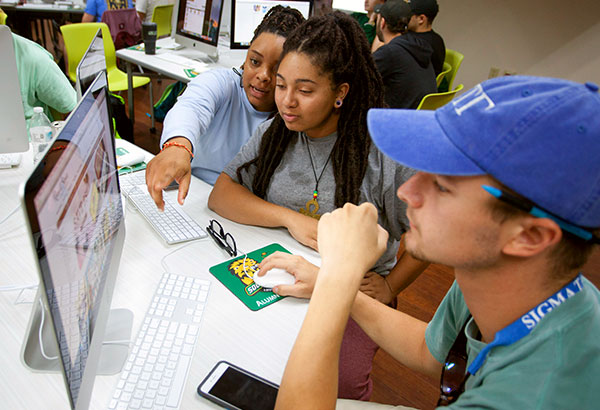
Various Open & Restricted Labs are available on campus for faculty, staff and student use.
How can I get a university e-mail account?
Faculty/Staff
An e-mail account for all new employees is automatically generated and takes the form of Wxxxxxxx, where xxxxxxx is the seven-digit employee identification number issued to you by Southeastern Human Resources.
An alias consisting of the full first name and full last name, separated by a period is also generated automatically for new employees. (e.g., John Smith's e-mail alias would be john.smith@southeastern.edu, unless there was already a John.Smith alias in existence at Southeastern. In that case, the alias would be john.smith-2 or some other string of letters or numbers.)
Students
An e-mail account for all new students is automatically generated after they have paid fees. It takes the form of Wxxxxxxx, where xxxxxxx is the seven-digit student identification number issued to you by Enrollment Services.
An alias consisting of the full first name and full last name, separated by a period, is also generated. (e.g., Jane.Smith) Again, if there is already an alias Jane.Smith, the next Jane Smith would receive Jane.Smith-2 or some other string of letters or numbers.
Where can employees get training in the use of PC's?
Faculty
The Center for Faculty Excellence offers short courses each semester for faculty members who are interested in getting training on various software and technology topics.
The schedule is available at the Center for Faculty Excellence (CFE) in Room 112 of Mims Hall and on the CFE Schedule web page.
Staff
Client Services offers various short courses for staff members each semester.
Schedules are available through the Short Course Registration Page.
Where can I get help with computing problems?
Call the Client Services' Customer Service Center at Ext. 5555. You can also come by the Customer Service Center, which is located in Room 111 of McClimans Hall. A Customer Service Consultant will be on duty during normal working hours.
How do I access Peoplesoft for Student Records, Financials, Asset Management?
For access, complete the application form and turn into McClimans Hall, room 109.
Is there a way to check my e-mail while I'm not at Southeastern?
You can log into your e-mail account by accessing the University's home page (www.selu.edu) and clicking on the bottom right link entitled WebMail. You must use your W number to access your e-mail using WebMail. The e-mail alias is not recognized by WebMail.
My e-mail Password has expired or I've forgotten it. How do I get a new one?
First, check the status of your password. You may do so by going to the Webmail page and clicking on the link "Account Information and Password Change for Email, Moodle and LEONet (PeopleSoft)" or click here. If your password is expired, you can still log in and change it by selecting the Change Password option. If you have forgotten your password and have a challenge question set, you can click on the link "I forgot my password!" You can then answer the question that you have set and change your password. If you do not have a challenge question set, you will need to follow the instructions below for the respective campus.
IMPORTANT INFORMATION: Your Password expires every 180 days. You will be notified before your password expires via email at 30 days and then again at 14 days. Please change your password when notified. When you do change your EMAIL password, your Active Directory password will automatically be reset to the same password as your Email, along with Moodle and LEOnet.
Hammond campus
Take your picture ID to Room 111 on the first floor of McClimans, (pronounced muh-cleye-muhns) Hall and ask for a new e-mail password. You will need to know your e-mail account number.
Livingston Literacy Center
Take your picture ID to the secretary and ask for a new e-mail password. You will need to tell the secretary your e-mail account number.
A password must be at least 8 characters in length (with at least a capital letter and one number), cannot be a word that you would find in an English dictionary (such as "flower"), and cannot have previously been used as your e-mail password.
If your e-mail username begins with W or P, your password will expire automatically for security reasons every 180 days. If you do not change your expired password within a short grace period, you must follow the above procedures to obtain a new password.
First time W account users have assigned to them a pre-expired (that is, a one-time only) password in the form of S+your birthdate in mm-dd-yyyy format. (Ex. Sxx-xx-xxxx)
Which systems can I access with my email password?
There are several different computer systems used at the university. The username may be different, but your e-mail password will allow entry for e-mail, Active Directory, PeopleSoft and Moodle.
My monitor has gone black. What do I do?
Move the mouse or tap the Shift key on your keyboard. Sometimes monitors are set to "go to sleep" after a certain amount of time if the image doesn't change.
Check to see that the power light on the front of the monitor is green. If not, your computer or your monitor may have lost power.
So you're getting a new PC! What happens to the software on your old PC?
If your old computer is being sent to Surplus, the software licenses can be transferred to the new computer.
Where can I get information on Gmail usage?
Information on Gmail usage can be found under the "Available Documents" section.