





Need Extra Prints?
If an actively enrolled Southeastern student exceeds their print allocations before the end of the semester or if a Northshore Technical Community College (NTCC) student needs to print on Southeastern's campus, prints can now be purchased directly through Lion Prints and immediate credit is given..
**Note: This is a non-refundable transaction.**
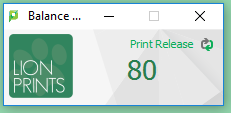
Step 1: Log in to the Lion Prints portal from any lab computer. This can be done by selecting
the Print Release hyperlink in the Lion Prints widget.
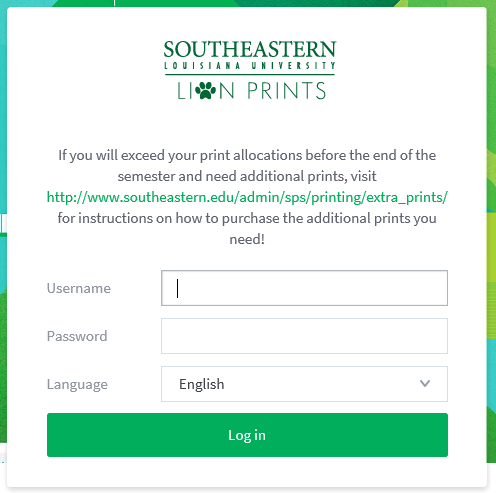
Step 2: Log into the Lion Prints portal using you W# and regular email password.
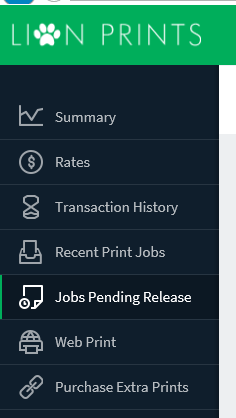
Step 3: From the Lion Prints portal, select “Purchase Extra Prints” from the left hand navigation menu.
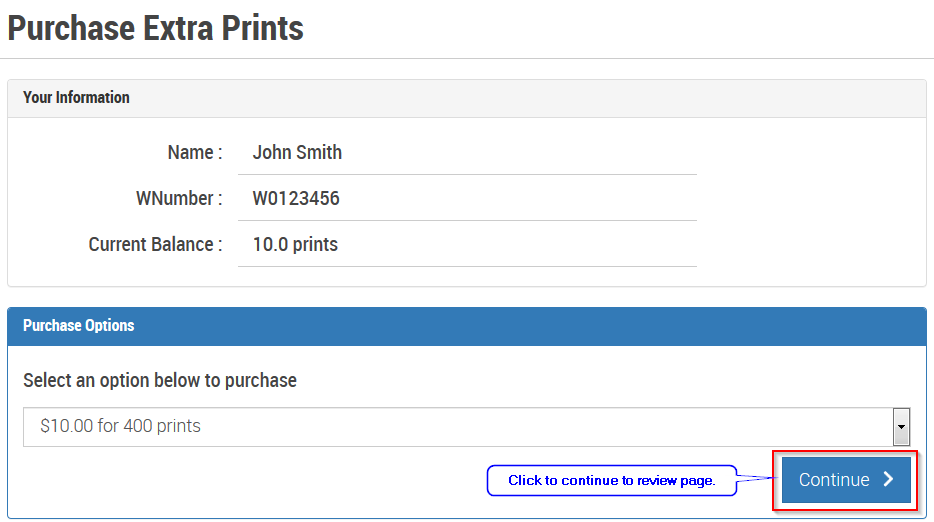
Step 4: From the Purchase Extra Prints page, click on the “Continue >” button to proceed to the review page.
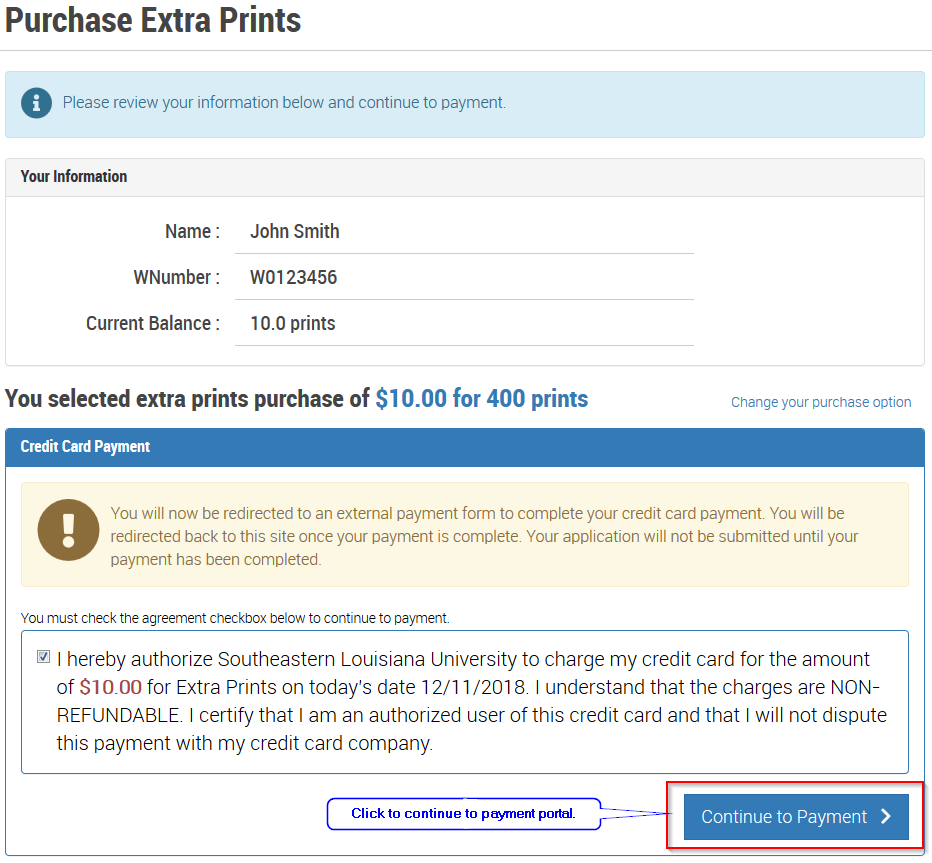
Step 5: In the review page: 1. verify your information, 2. read and agree to the credit card agreement by selecting the agreement checkbox, and 3. click on the “Continue to Payment” button to go to the payment portal.
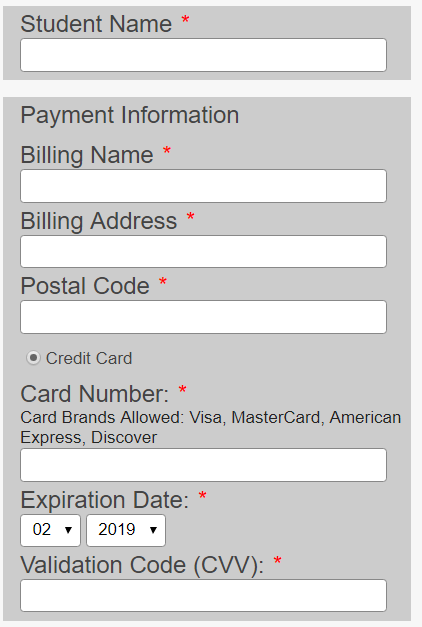
Step 6: In the payment portal, enter the name, billing address, and credit card information. Extra Prints purchases are made in $10 increments only. **Note: This is a non-refundable transaction.**
Step 7: Upon completion of a successful payment, the credit card will be charged $10 and 400 prints will be added to the user’s account immediately. This transaction will also be reflected in your student account in Leonet.
Additional $10 payments for extra prints may be made at anytime and as often as needed using this payment method.